
A cloud bill jumps one month, and moving a few workloads somewhere cheaper starts to feel like the obvious fix. Or a hardware refresh is coming, and keeping everything right where it sits feels just as obvious. Both moments seem to point straight to an answer. Neither one actually tells you where a workload belongs.
That answer depends on the workload itself: what it does, what it needs, and what happens to your business if it stops. So before you change how your cloud is built and run, you need a clear read on the work each system is doing. Look at that work first, and any later comparison of hosting options will rest on facts, not on a reaction to one invoice.
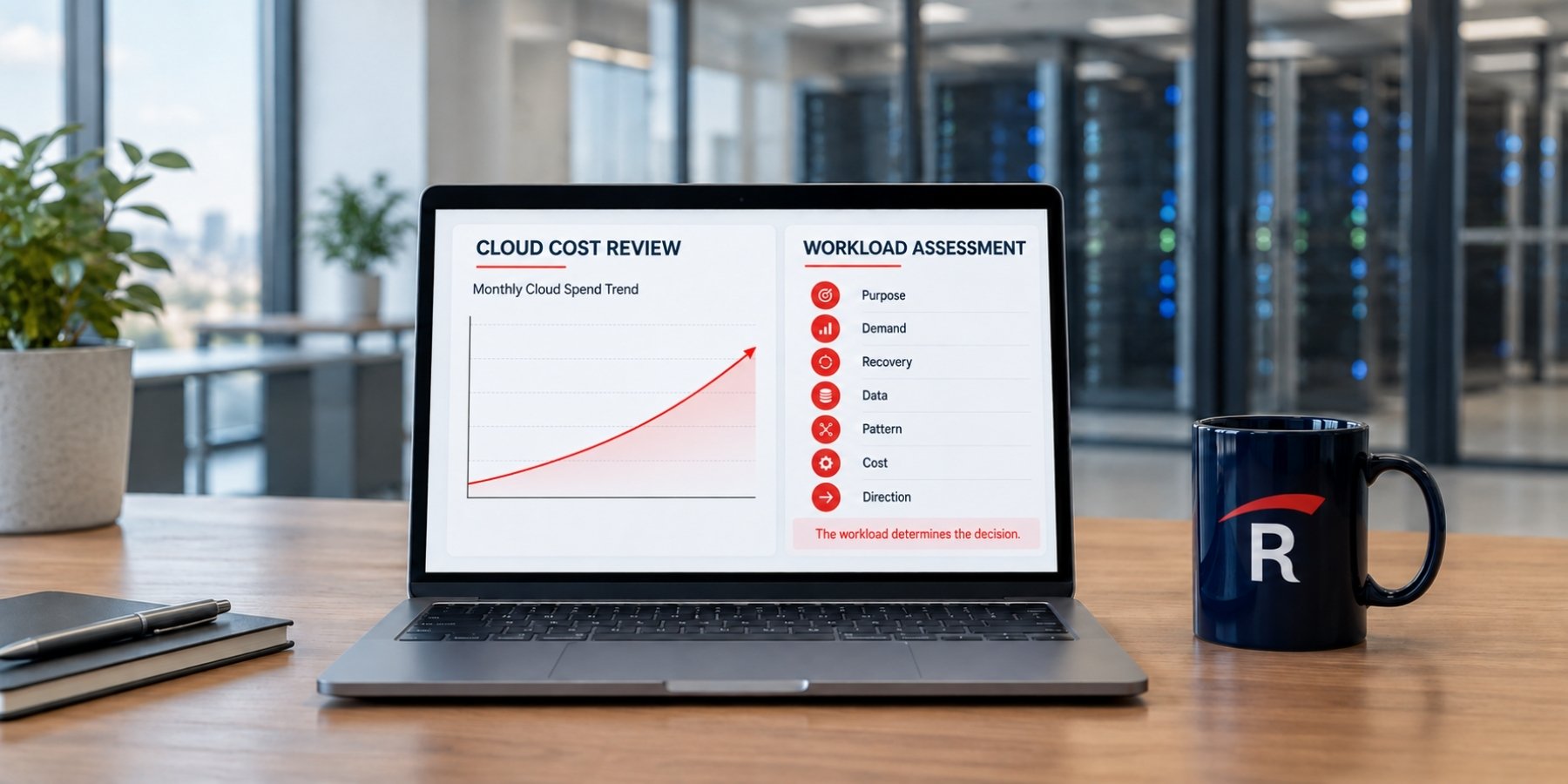
Start With the Workload, Not the Cloud Bill
A renewal date, a hardware refresh, or a surprise charge can push a decision before anyone checks that the old requirements still hold true. That is backward. Real cloud cost optimization begins with the workload, not the line item.
The urge to review spend is a healthy one. According to the FinOps Foundation's 2026 State of FinOps report, workload optimization and waste reduction rank as the single top current priority for the finance and engineering teams it surveyed. The trap is treating that review as a hunt for the cheapest rate. A lower rate on the wrong setup still costs you more than it should.
Cloud economics is a decision you keep making, not a one-time search for a bargain. A server's specs tell you how much memory or storage it uses. They do not tell you why the business depends on it. And a single monthly bill does not show the full cost of moving that work or running it somewhere else. A defensible workload placement strategy starts with the work each system does, not the price of hosting it.

Seven Questions That Shape Your Workload Placement Strategy
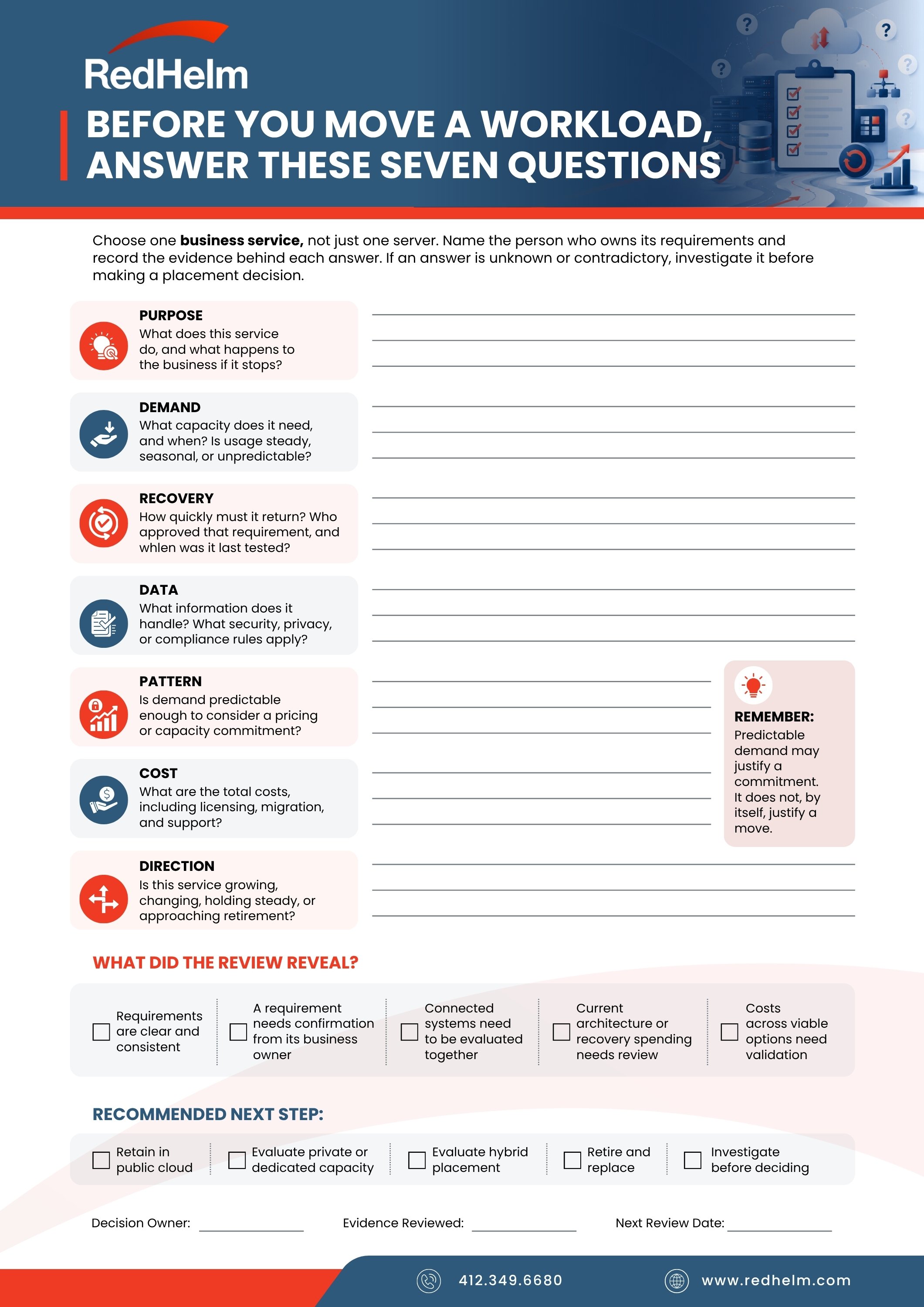
Before you compare public cloud, private capacity, or anything in between, run each system through the same short review. Think of it as a cloud workload assessment you can repeat for every system you own. A strong workload placement strategy answers seven questions, in this order:
- Purpose. What breaks in the business if this workload stops? Start here, because the answer shapes everything else.
- Demand. What resources does it need, and when? Busy hours and quiet hours matter as much as the totals.
- Recovery. How quickly must it come back after a failure? Put a real number on it.
- Data. What information does it handle, and what rules follow that information?
- Pattern. Is demand steady enough to justify committing to capacity ahead of time?
- Cost. What does meeting all of the above actually cost in each option you could realistically use?
- Direction. Is the workload growing, changing, holding steady, or close to retirement?
The Data question deserves extra care, because it pulls in more than storage size. You also need to think about keeping that information protected and controlling who is allowed to reach it. Those requirements often decide where a workload can safely and legally live, long before price enters the picture.
Look at Services, Not Just Rows of Servers
One common mistake is reviewing each server on its own. Real work rarely lives on a single machine. An application and its database may be one service to the business. Two servers may be a matched pair that keeps a system running if one of them fails. Score them separately, and you can miss how they lean on each other, which leads to a cost comparison that looks clean but is wrong.
This is also where you get to question requirements you inherited. Say a product is labeled critical, but the team agrees it can be down for four hours without real harm. Or a database is set to recover sooner than the application that relies on it, which makes no sense. Finding and fixing a contradiction like that can be worth more than any placement decision, because it corrects a cost you have been paying to protect nothing.

Split the Commitment and the Location
Two decisions often get blended into one, and pulling them apart clears up a lot of confusion. Committing to capacity is one decision. Choosing where that capacity runs is a different decision.
Say a workload has steady, predictable demand. That is a good reason to review your pricing, since on-demand rates are built for work that comes and goes. Steady demand might justify a public cloud commitment. It does not automatically mean you should move the workload onto private infrastructure. The public vs private cloud question turns on the full picture: the price, yes, but also the daily work of running and supporting each option, and your team's ability to operate it well.
This is why looking past the public cloud invoice matters. The same survey found that 57% of the teams it studied now manage private cloud spend and 48% manage data center spend as part of their practice. Cost clearly lives across environments, not just in one public cloud statement. Comparing cloud infrastructure costs fairly means placing a full commitment where the workload already runs next to dedicated capacity somewhere else, with operating duties counted on both sides.

Four Honest Outcomes, Including Leaving It Where It Is
A real review does not force a move. Sound workload placement is not about chasing the lowest rate; it is about matching each system to where it works best. The review can point to any of four answers, and each one is a genuine decision.
Keep it in public cloud, because the current setup is already the right fit. Move it to private or dedicated capacity, because some workloads sit better on infrastructure you commit to. Take a hybrid approach, so one service can use public cloud for some parts and dedicated capacity for others; a clear hybrid cloud strategy often serves systems with mixed needs. Or retire and replace it, since an aging workload might be better swapped for a managed service that does the same job with less overhead.
Choosing to leave a workload exactly where it is counts as a decision too, as long as you can explain why. And sometimes the honest result is that you cannot decide yet. If no one owns the workload, or two requirements flatly contradict each other, the right move is to pause and get those answers before you spend a dollar changing anything.

Measure the Value Honestly and Keep the Review Going
When you do act, be precise about what you gained. Cutting an invoice is not the same as avoiding a future cost, freeing up capacity you can reuse, or lowering risk. A planned move does not become real savings until the work is done and the results are checked. Loose math here is how "savings" quietly disappear.
To make this stick, give every workload a named owner and write down the seven answers for each one. That record is the heart of good cloud cost governance, and it earns its keep twice: it also helps you show that a placement meets the standards your industry expects, treating those rules as a baseline rather than a finish line. Start with the workloads that cost the most or matter the most, then revisit each decision as prices and needs change.
This is the part many teams skip, and it is where outside help pays off. RedHelm works with leaders to connect the pieces this review depends on: what a workload requires, who owns it, how it is built, the commercial terms around it, and the business goals behind it. With expertise across public cloud, private cloud, hybrid, and on-premises environments, RedHelm is equipped to guide both the placement decision and the ongoing management of your workloads. That is how a workload placement strategy becomes something you can defend in a budget meeting, not just a smaller number on one page.
The clearest first step is a single workload. Pick one that costs a lot or carries real weight, run it through the seven questions, and see how solid the current answer really is. When you want a second set of eyes on your workloads and the wider portfolio, you can talk with the RedHelm team about which placements hold up, which requirements need another look, and where a verified change could free up room for what comes next.